
Camera Blur and Collages1.0.5 - Google Play
You'll be able to see results in few seconds.
Publisher Description

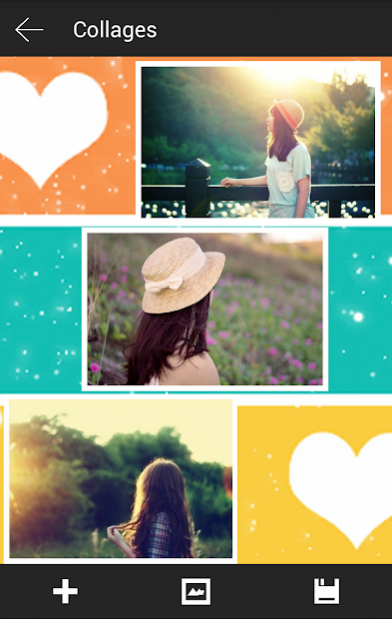


Camera Blur and Collages is the best app effecter photo for android 2016.
Camera Blur is the app perfect for everyone like photo collages.
Verry easy how to user this app.
1 - To use blur photo effect your can do step by step:
+ START menu with number once image button blur
+ NEXT step : SELECT A PICTURE FROM GALLERY and cop it.
+ Next step : CHOOSE a frame cropper and wait blur proccess completed.
=> you have a blur picture simpler
you can room and drag or movie crop picture on blur image bacground
=> save your photo blur and share with your friends.
2 - To user collages photo you can follow steps below:
+ From menu you sellect button image collage
+ YOU SELECT some picture from gallery
+ DRAG and zoom sub picture collages
+ CHANGE background picture with 30 background collage cute, or user color. if you want change background by your image you can chooose button gallery.
3 - save your pic collage and share with your friends
ENJOY.
About Camera Blur and Collages
The company that develops Camera Blur and Collages is Gold-Star JscOM. The latest version released by its developer is 1.0.5.
To install Camera Blur and Collages on your Android device, just click the green Continue To App button above to start the installation process. The app is listed on our website since 2018-10-26 and was downloaded 0 times. We have already checked if the download link is safe, however for your own protection we recommend that you scan the downloaded app with your antivirus. Your antivirus may detect the Camera Blur and Collages as malware if the download link to com.camera.blur is broken.
How to install Camera Blur and Collages on your Android device:
- Click on the Continue To App button on our website. This will redirect you to Google Play.
- Once the Camera Blur and Collages is shown in the Google Play listing of your Android device, you can start its download and installation. Tap on the Install button located below the search bar and to the right of the app icon.
- A pop-up window with the permissions required by Camera Blur and Collages will be shown. Click on Accept to continue the process.
- Camera Blur and Collages will be downloaded onto your device, displaying a progress. Once the download completes, the installation will start and you'll get a notification after the installation is finished.
Program Details
System requirements
Download information
Pricing
Version History
version 1.0.5
posted on 2018-10-26
1 - up android M
2 - Add more pic animals
3 - update feature
version 1.0.5
posted on 2018-10-26
1 - up android M
2 - Add more pic animals
3 - update feature
version 1.0.3
posted on 2016-04-17
1 - up android M,2 - Add more pic animals
Disclaimer
Official Google Play Link
We do not host Camera Blur and Collages on our servers. We did not scan it for viruses, adware, spyware or other type of malware. This app is hosted by Google and passed their terms and conditions to be listed there. We recommend caution when installing it.
The Google Play link for Camera Blur and Collages is provided to you by apps112.com without any warranties, representations or guarantees of any kind, so access it at your own risk.
If you have questions regarding this particular app contact the publisher directly. For questions about the functionalities of apps112.com contact us.
